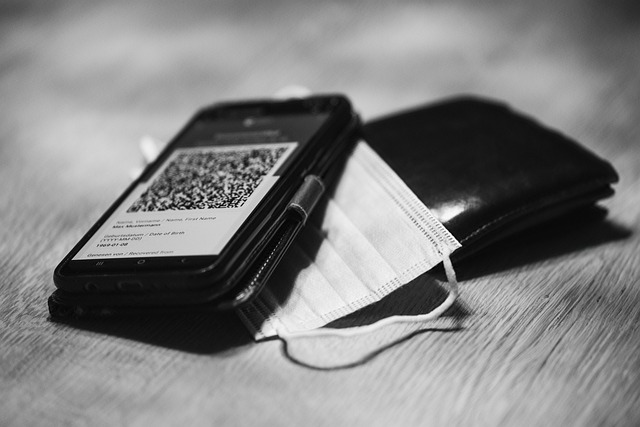
How many times have you found yourself spelling out a long, complex Wi-Fi password letter by letter for a guest, colleague, or customer? Or perhaps you've been the one struggling to type it in correctly, only to be met with that frustrating 'incorrect password' error. In today's fast-paced, connected world, these small moments of friction can add up, creating unnecessary hassle for both hosts and guests alike.
Fortunately, there's a simpler, more elegant solution that's rapidly gaining traction: the Wi-Fi QR Code.
At its core, a Wi-Fi QR code is a scannable image that contains all the necessary information to connect to a specific Wi-Fi network. Think of it as a digital shortcut to your internet connection. Instead of manually entering your network name (SSID), password, and security type, a quick scan with virtually any smartphone camera is all it takes to instantly join the network. The QR code acts as a compact, encrypted package of your Wi-Fi details, ready to be deciphered by a device's camera.
The introduction of Wi-Fi QR codes isn't just a neat tech trick; it's a significant upgrade in how we manage and share internet access. Here’s why it's becoming an indispensable tool:
In a world where instant connectivity is not just desired but expected, generating a Wi-Fi QR code isn't merely a convenience; it's a smart, practical solution that significantly enhances efficiency, security (by not exposing the password to be written down/spoken), and the overall user experience for anyone needing to access your network.
We've all been there: a guest asks for the WiFi password, and you embark on a painful exercise of reciting a string of random letters, numbers, and symbols—often leading to multiple attempts and sighs of frustration.
But what if there was a simple, instant way for anyone to connect to your network? Enter the WiFi QR Code.
Generating a WiFi QR Code is one of the most underrated digital efficiency hacks available today. This simple black-and-white square eliminates password friction and drastically improves the user experience for guests, customers, and even new employees.
Here is an in-depth look at how generating a WiFi QR code works, why you should use one, and how to pick the best method for your needs.
A WiFi QR code is essentially a data packet encoded into a scannable image. When you generate this code, you are embedding three critical pieces of information about your network:
When a modern smartphone camera (or a scanner app) points at the QR code, it instantly reads this data and translates it into a "Connect to Network" command, bypassing the need to manually type anything.
The advantages of ditching the manual password entry are numerous, spanning convenience, security, and efficiency:
QR codes aren't just for tech gurus; they solve real-world problems in many environments:
| Scenario | Practical Application |
|---|---|
| Home Use | Print the code and tape it inside a kitchen cupboard or frame it near the TV. Guests connect instantly without bothering the host. |
| Short-Term Rentals (Airbnb) | Include the QR code in the welcome binder or print it as a sticker on the router. Connection is guaranteed smooth upon check-in. |
| Cafes and Restaurants | Print the QR code prominently on table tents, menus, or near the bathroom. Employees don't have to stop working to provide the password. |
| Small Offices / Co-working Spaces | Laminate the code and post it in meeting rooms or reception areas for visitors and contractors. |
There are several straightforward ways to generate a WiFi QR code, ranging from built-in phone features to dedicated online tools.
Many modern smartphones operating systems (especially Android and some iOS updates) now allow you to share your network details directly via a QR code right from the WiFi settings menu.
Dozens of free online tools (e.g., QR Code Monkey, QR Code Generator, various dedicated WiFi QR sites) allow you to input your SSID, password, and encryption type, generating the image for you.
For those who are security-conscious or prefer complete control, local tools or command-line scripts can generate the code locally on your computer, ensuring your password never touches an external server.
While the benefits heavily outweigh the drawbacks, it's important to be aware of the limitations associated with using a static QR code.
| Aspect | Pros of Using a WiFi QR Code | Cons of Using a WiFi QR Code |
|---|---|---|
| Usability | Instant connection; eliminates password errors. | Requires a functioning camera/scanner app on the guest's device. |
| Security | Promotes the use of stronger, complex passwords. | If the physical code is lost or photographed, the password is exposed. |
| Maintenance | Easy to update the printed code when the password changes. | The code is static: if you change the password, you must print a new code. |
| Privacy | Prevents casual password sharing and eavesdropping. | Online generation requires inputting sensitive details into a web form (choose reputable sites). |
Because the QR code permanently embeds your password, treat the printed code like you would treat a physical copy of your password. Place it in a secure, private, or supervised location.
Generating a WiFi QR code is a small effort that yields massive results in convenience and efficiency. Whether you are hosting a party, running a busy cafe, or managing a short-term rental, these scannable squares transform the connection process from a clumsy hurdle into a seamless, welcoming experience.
Stop typing, start scanning! Generate your code today and watch the password frustration disappear.
You’ve explored the ins and outs of generating a WiFi QR code, from the specific syntax to the dozens of free tools available online. We’ve established that this simple graphic is far more than a technical trick—it’s a powerful customer service tool, a time-saver, and a clear sign of technological competency.
Now, as we wrap up, let’s condense the essence of this process. Generating a code is easy; generating a reliable and secure code that enhances your user experience requires thoughtful implementation.
The journey into WiFi QR codes boils down to three core benefits:
While convenience is the primary driver, security and reliability are non-negotiable. If a code doesn't work, it creates more frustration than if you had just shared the password verbally.
Never, under any circumstances, generate a simple, unauthenticated QR code that links to an open network. Always ensure your code embeds credentials for a network secured with WPA2 or WPA3.
Before you print, laminate, or distribute your code, test it rigorously.
When faced with the myriad of free QR code generators, making the right selection is crucial. Here’s how to ensure you choose a tool that sets you up for success:
| If You Need... | Choose a Generator That Offers... | Practical Tip |
|---|---|---|
| Maximum Security/Privacy | Client-side generation (The data stays on your browser and is not stored on the generator's server.) | Look for tools from reputable sources or open-source projects. Avoid generators that require lengthy sign-ups or track the number of scans. |
| Business Branding | Customization options (colors, frames, logos, and error correction). | Integrate your brand colors, but maintain high contrast (e.g., dark code on a light background) to ensure quick scanning. |
| Reliability in Public Settings | High error correction levels (H or Q). | Error correction allows the code to be read even if it is slightly dirty, wrinkled, or obscured by a fingerprint. This is essential for high-traffic public displays. |
| Maximum Compatibility | Simple WIFI:T:S:P syntax generation. | This is the standardized format. Ensure the tool cleanly generates the required fields (Type of Encryption, SSID, Password). |
Generating a WiFi QR code is a one-time effort that delivers perpetual returns in convenience and professionalism.
Don't wait for the next guest or client to ask, "What's the WiFi password?" Take control of the connectivity experience today. Choose a secure, reputable generator, test your code thoroughly, and proudly display your gateway to high-speed connection.
Go forth, print your code, and let your users connect instantly and securely.